Every invoice in Paisr moves through a defined set of states. Understanding these states helps you know what actions are available at each stage and how to respond to status changes in your integration.
Status Reference
| Status | Description |
|---|---|
draft | Created without line items. Not finalised — cannot be sent or paid. |
unpaid | At least one line item has been added. A checkout session is active and the invoice can be paid. |
paid | Full payment collected. The invoice is locked and funds are credited to your wallet at settlement. |
void | Manually voided or automatically voided when a linked subscription is cancelled or expired. Cannot be paid or reactivated. |
Lifecycle Flow
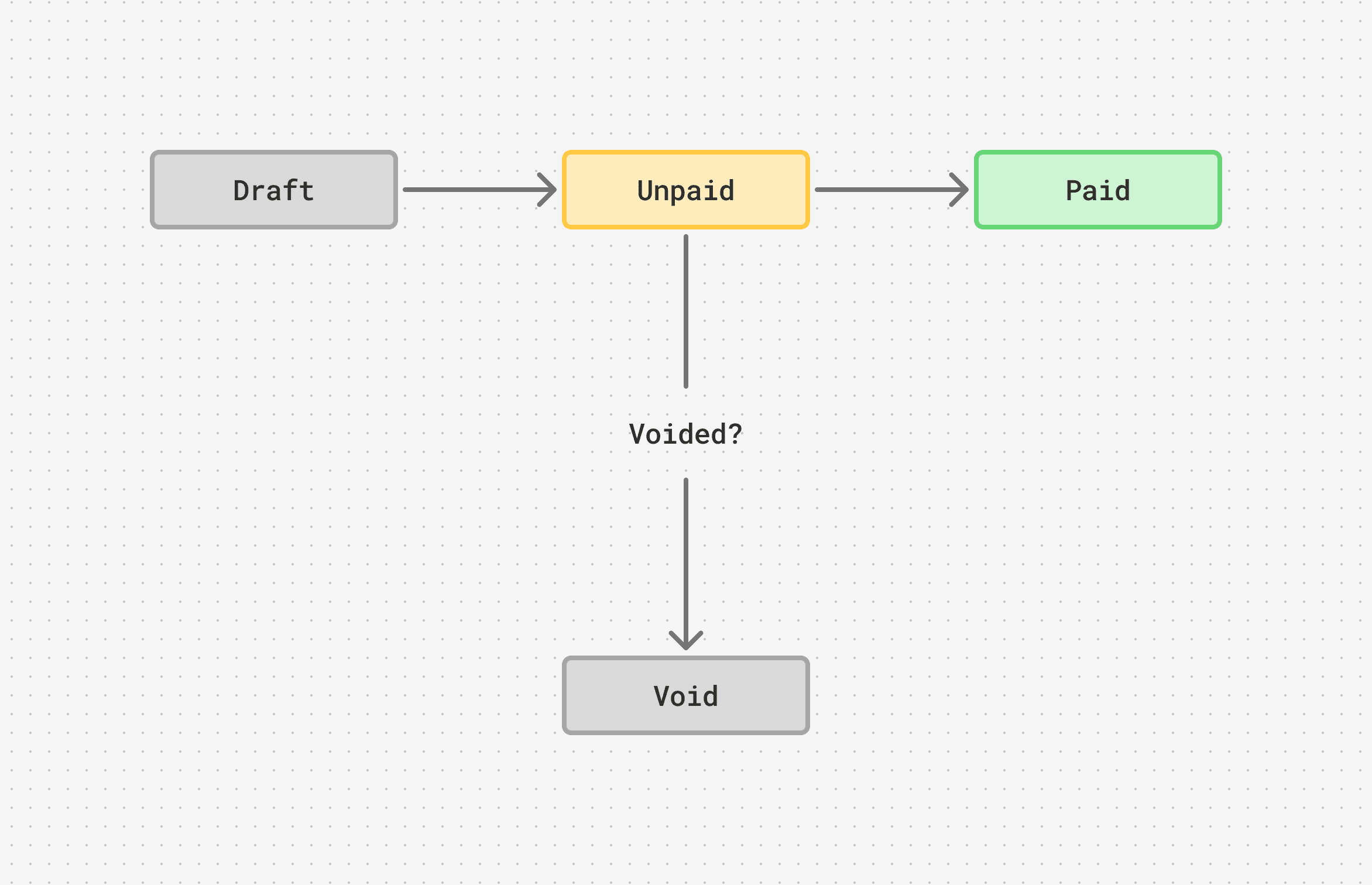
Draft
An invoice enters draft when it is first created without any line items. In this state it is fully editable but it cannot be shared or paid. Add at least one line item to move it to unpaid.
Unpaid
Once a line item is added, the invoice transitions to unpaid and a hosted checkout session is generated. The invoice can be updated and sent to the customer. It remains in this state until payment is collected or the invoice is voided.
Paid
When the full invoice amount is collected, the status automatically updates to paid. The invoice is locked — no further edits or deletions are possible. Funds are credited to your wallet balance according to the payment method's settlement schedule.
If a paid payment is later refunded, the invoice returns to unpaid and can accept a new payment attempt.
Void
An invoice is voided when:
- You manually void it from the dashboard or via the API
- The subscription that generated it is cancelled or expired
A voided invoice cannot be paid, reactivated, or modified.
Subscription-linked Invoices
Invoices generated automatically by a subscription follow the same status rules but have additional constraints:
- They cannot be edited or deleted directly
- Cancelling the subscription voids all its unpaid invoices
- Historical paid invoices from the subscription are retained
Webhooks
Use webhooks to react to invoice state changes in real time rather than polling the API. Subscribe to these events:
| Event | Fired when |
|---|---|
invoice.created | A new invoice has been created |
invoice.updated | The invoice details or line items changed |
invoice.paid | Full payment was collected |
invoice.removed | The invoice was deleted |
Retrieving Invoices
List invoices with optional filters:
curl -X GET "https://api.live.paisr.tech/v2/invoices?status=unpaid¤cy=SRD&limit=50" \
-H "Authorization: Bearer <token>" \
-H "User-Agent: MyApp/1.0"Retrieve a specific invoice including its full line items and session details:
curl -X GET "https://api.live.paisr.tech/v2/invoices/{invoice_id}" \
  -H "Authorization: Bearer <token>" \
  -H "User-Agent: MyApp/1.0"